When people talk about VPNs, the conversation usually focuses on speed, streaming, and how many servers a provider has.
Proton VPN takes a somewhat different approach.
Privacy is clearly at the center of the product. Proton VPN is developed by Proton, the company behind Proton Mail and other privacy-focused services, and its VPN apps are open source and independently audited. Proton also states that it keeps no activity logs or metadata that could identify what users do online.
What makes Proton VPN particularly interesting, however, is that you don’t necessarily need to pay to start using it.
Proton VPN
🔒 Privacy-Focused VPN
🆓 Free Plan Available
🌍 Servers in 140+ Countries
🛡️ Secure Core
🚫 No Ads & No Data Limits on Free Plan
💻 Up to 10 Devices with VPN Plus
The Free Plan Is the Biggest Surprise
The first thing that makes Proton VPN stand out is its free plan.
Unlike many free VPN services that impose strict data limits or fill the application with advertising, Proton says its free plan has no data limits, no speed caps, and no ads. Free users can connect one device at a time and are connected to servers in 10 countries selected by Proton.
That’s a pretty unusual proposition.
For someone who only occasionally needs a VPN for browsing on public Wi-Fi, traveling, or protecting a laptop connection, the free version can be enough.
Of course, the paid plan provides much more flexibility, especially when it comes to server selection, speed, streaming, and multiple devices.
Privacy Is Really the Point
The main reason I would consider Proton VPN is its privacy approach.
Proton VPN says it keeps no activity logs or metadata and does not store users’ IP addresses. Its VPN apps use open-source protocols and have been independently audited, with audit results published by Proton.
This matters because a VPN provider becomes part of your internet connection. You’re essentially trusting it with traffic that would otherwise go directly through your normal internet provider.
For me, being able to look at the provider’s privacy policies, technical documentation, and independent audits is much more useful than simply seeing the phrase “military-grade encryption” on a marketing page.
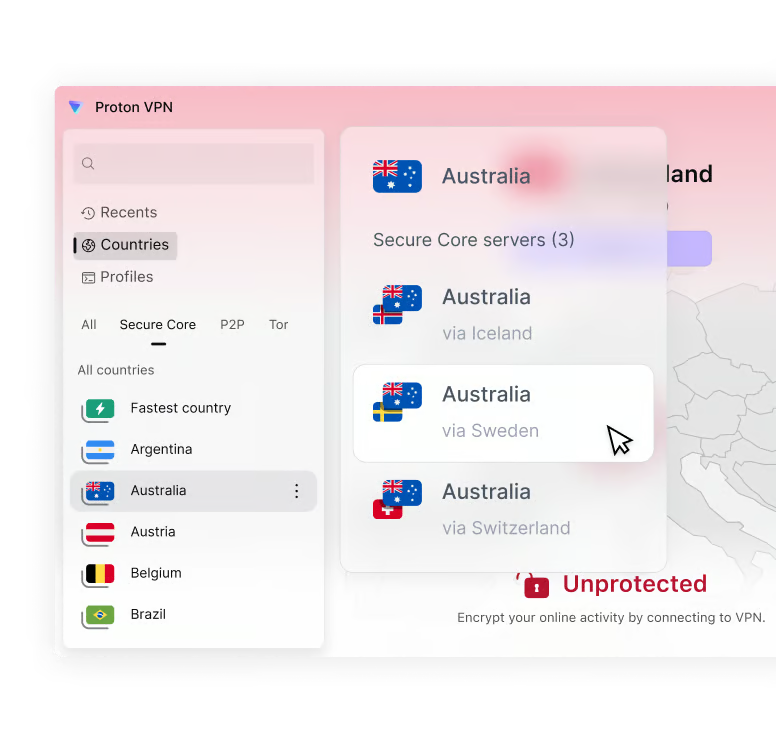
Secure Core Adds Another Layer
Instead of sending your traffic directly through a single VPN server, Secure Core routes it through a Proton-controlled server in a privacy-friendly location such as Switzerland, Iceland, or Sweden before sending it to the final VPN server.
The goal is to reduce the risk associated with a compromised VPN server.
Most everyday users probably don’t need this feature all the time. It can also introduce additional latency because your traffic takes a longer route.
But for someone who puts privacy above absolute connection speed, having this option is a major advantage.

NetShield Goes Beyond the VPN
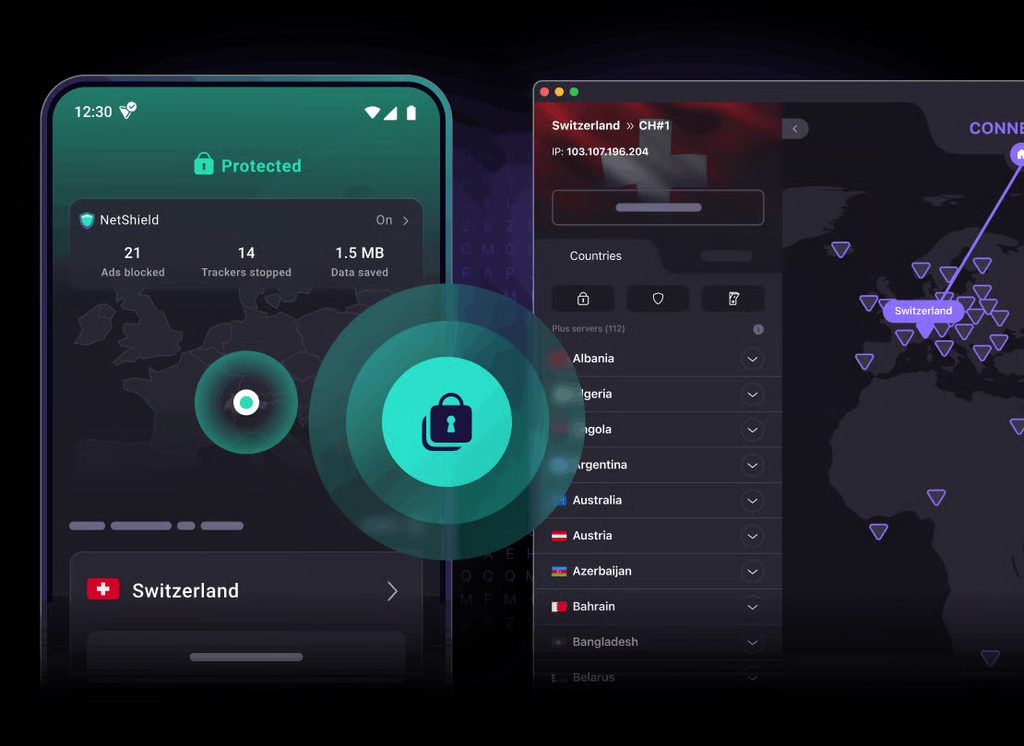
Proton VPN also includes NetShield, a DNS-based feature designed to block ads, trackers, and domains associated with malware.
Proton says NetShield was significantly expanded in early 2026 and can now block subdomains as well as root domains, increasing its coverage of advertising and tracking domains.
I like features like this because they don’t require much interaction from the user.
Once enabled, the protection simply works in the background.
WireGuard, VPN Accelerator and Everyday Performance
Proton VPN supports established VPN protocols such as WireGuard and OpenVPN, while also working on a new protocol codebase designed to improve performance, reliability, and resistance to VPN blocking.
Proton also offers VPN Accelerator, a collection of technologies that it says can improve VPN speeds significantly over long-distance connections.
In practice, actual VPN performance will still depend heavily on your location, network, selected server, and distance from that server.
So I wouldn’t choose Proton VPN simply because of a theoretical maximum speed. Its real strength is the combination of performance and privacy features.
Proton VPN for Phones and Laptops

The service supports Windows, macOS, Linux, Android, iPhone/iPad, Chrome, Firefox, Chromebook, Android TV, and Fire TV.
The apps are relatively straightforward to use. For someone who doesn’t want to spend time learning VPN configuration, you can simply select a server or use Quick Connect and let the application choose a connection for you.
VPN Plus supports up to 10 devices simultaneously, which should be enough for most individual users.
How Much Does Proton VPN Cost?
The free version is the easiest way to try Proton VPN.
For VPN Plus, Proton’s current signup page lists:
US$9.99/month for a monthly subscription
US$3.99/month when billed annually
US$2.99/month when billed every two years
The exact promotion and renewal price can change, so it’s worth checking the current plan before subscribing. Proton also provides a 30-day money-back guarantee.
Who Should Use Proton VPN?

I think Proton VPN makes the most sense for a few types of users.
Privacy-conscious users will appreciate the company’s no-logs approach, open-source applications, and independent audits.
Beginners can start with the free plan without committing money immediately.
Travelers and laptop users can use it on public Wi-Fi and unfamiliar networks.
And for people who already use Proton Mail or other Proton services, having the VPN in the same ecosystem is convenient.
Final Thoughts
After looking at Proton VPN, I think its biggest selling point isn’t the number of servers or another impressive-looking specification.
It’s the company’s overall philosophy.
Privacy comes first.
The combination of a genuine free plan, no data limits on that plan, open-source apps, independent audits, Secure Core, NetShield, and a broad range of supported devices makes Proton VPN one of the more interesting choices in the VPN market.
The free plan alone is enough to make it worth trying, while VPN Plus becomes much more attractive for users who need higher speeds, more locations, streaming, P2P, and multiple devices.
For me, Proton VPN is particularly appealing because it doesn’t feel like a VPN that only exists to help you change your location. It feels more like a privacy tool designed to become part of your everyday internet setup.
More VPN Reviews
Not sure which VPN fits your needs?
You can also read my NordVPN Review, where I take a closer look at NordVPN’s security features, NordLynx protocol, and everyday usability.
I’ve also compared Proton VPN with Surfshark and other popular VPN services in my guide to the best VPNs for different needs.
《Proton VPN Review: One of the Best Choices for Privacy and a Free VPN》有3条评论