Creating videos has never been easier than it is today. Whether you are making YouTube videos, TikTok shorts, gaming content, travel videos, or product reviews, the right video editing software can completely change your workflow.
However, choosing an editor is not always easy.
Some programs are designed for professional filmmakers, while others focus on beginners who simply want to cut clips, add music, and upload videos quickly. Many users download expensive software but end up using only basic features.
After trying different types of creative tools, I found that the “best” video editor is not necessarily the most expensive one. It depends on what you create, your experience level, and how much time you want to spend learning.
In 2026, these are some of the best video editing software options for different types of creators.
1. DaVinci Resolve – Best Free Video Editing Software Overall
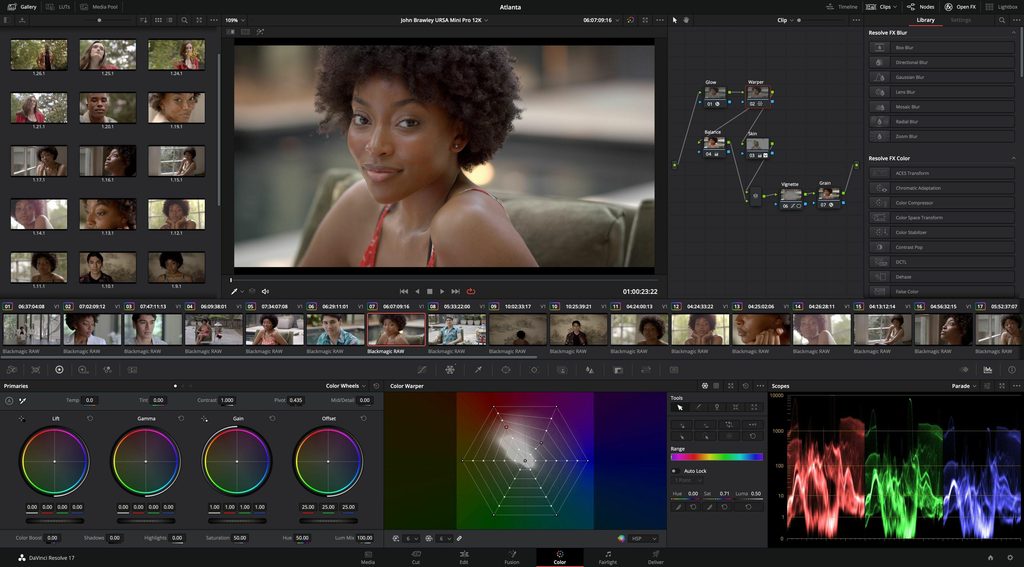
If you want professional-level video editing without paying a monthly subscription, DaVinci Resolve is probably the first software you should try.
The biggest advantage of DaVinci Resolve is that the free version already provides many advanced features, including professional editing tools, color grading, audio processing, and visual effects. It is powerful enough for beginners but also widely used by professional creators.
When I first opened DaVinci Resolve, the interface looked a little intimidating. Compared with simple editors, there are many panels and tools everywhere. However, after understanding the basic workflow, it becomes clear why so many creators choose it.
The color grading system is one of its biggest strengths. For users who shoot videos with cameras like the Nikon Z fc or other mirrorless cameras, DaVinci Resolve can help bring out much better colors from the footage.
Best for:
- YouTube creators
- Camera users
- Filmmakers
- Users who want professional tools for free
Downside:
The learning curve is higher than beginner-friendly editors.
2. Adobe Premiere Pro – The Professional Industry Standard
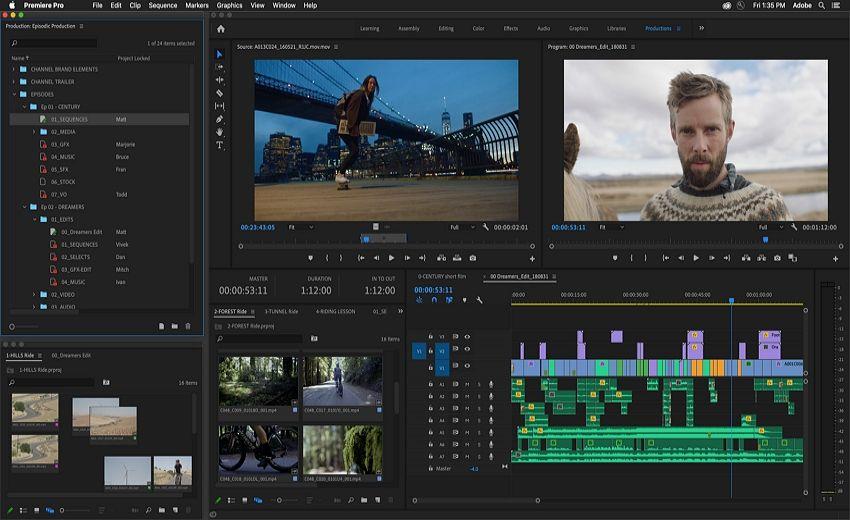
When talking about professional video editing, Adobe Premiere Pro is almost impossible to ignore.
It has been one of the most popular choices among professional editors, YouTubers, and production teams because of its powerful workflow and integration with other Adobe software such as After Effects and Photoshop.
The biggest advantage of Premiere Pro is flexibility. Almost every part of the editing process can be customized, from timeline management to advanced effects.
For creators who already use Adobe products, Premiere Pro provides a complete ecosystem.
However, the biggest problem is the subscription model. Unlike DaVinci Resolve Studio, which uses a one-time payment, Premiere Pro requires ongoing payment.
For someone who only edits occasional videos, the cost may not feel worthwhile.
Best for:
- Professional editors
- Commercial video production
- Adobe ecosystem users
Downside:
- Monthly subscription
- Requires a powerful PC for complex projects
3. CapCut – Best Choice for Beginners and Short Videos
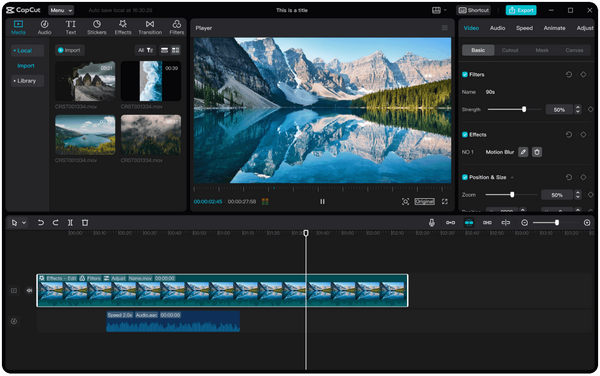
CapCut has become extremely popular among social media creators because it makes video editing simple.
Unlike professional software, CapCut focuses on speed. Users can quickly cut clips, add subtitles, apply effects, and export videos for TikTok, YouTube Shorts, and Instagram Reels.
For beginners who have never edited videos before, CapCut is probably one of the easiest ways to start.
I think CapCut is especially suitable for people who want to create content but do not want to spend hours learning complicated software.
For example:
- Product review videos
- Travel clips
- Gaming highlights
- Social media content
You can finish a decent video without complicated editing knowledge.
Best for:
- Beginners
- Short-form video creators
- Mobile creators
Downside:
Advanced editing control is more limited compared with Premiere Pro or DaVinci Resolve.
4. Final Cut Pro – Best Video Editor for Mac Users
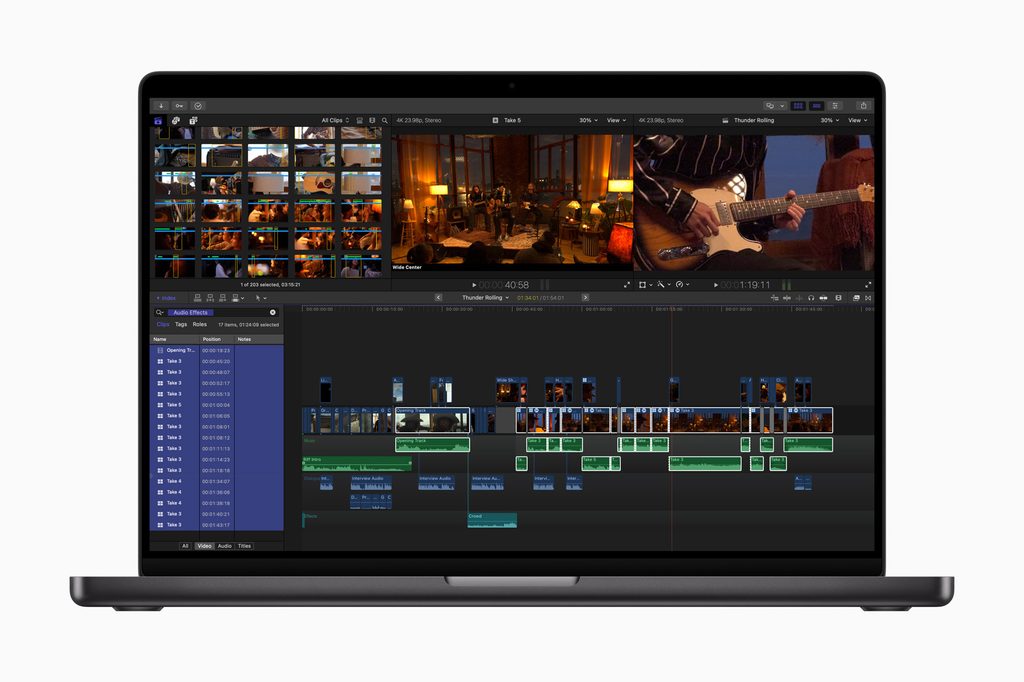
For Apple users, Final Cut Pro remains one of the best choices.
Because it is developed by Apple, Final Cut Pro works extremely well with Mac hardware, especially Apple Silicon chips. The software is optimized for smooth performance and fast rendering.
Compared with Premiere Pro, Final Cut Pro has a different editing workflow. Some beginners may find it easier, while professional editors coming from traditional software may need time to adapt.
Best for:
- MacBook users
- Apple ecosystem creators
- YouTube creators
Downside:
Only available on macOS.
5. Wondershare Filmora – Best Beginner-Friendly Paid Editor
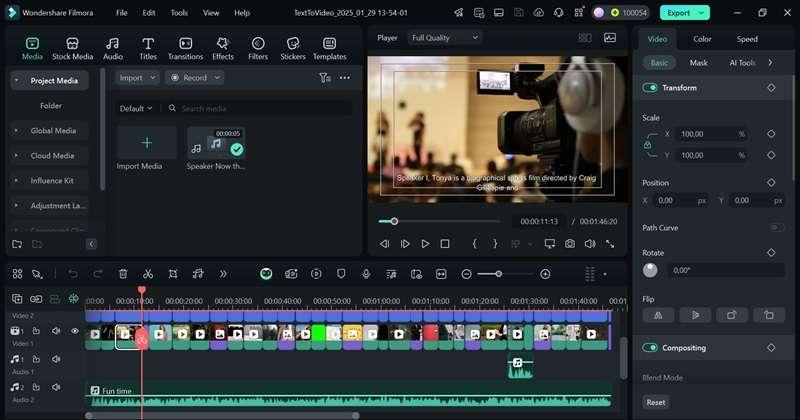
Filmora sits between simple editors like CapCut and professional tools like Premiere Pro.
It provides an easier interface while still offering more creative controls than basic mobile editors. For beginners who want something more powerful than CapCut but less complicated than Premiere Pro, Filmora is a good middle option.
It includes:
- Effects
- Transitions
- AI tools
- Templates
- Simple color adjustments
For casual creators, it is a comfortable starting point.
Free Video Editors vs Paid Video Editors: Which One Should You Choose?
The answer depends on your goals.
Choose a free editor if:
- You are just starting
- You make personal videos
- You upload occasional content
Recommended:
✅ DaVinci Resolve
✅ CapCut
Choose paid software if:
- You create videos professionally
- You need advanced effects
- You work with clients
Recommended:
✅ Adobe Premiere Pro
✅ Final Cut Pro
✅ Filmora
Final Thoughts
There is no perfect video editing software for everyone.
If you are a beginner who wants fast results, CapCut is probably the easiest choice.
If you want to seriously improve your editing skills, DaVinci Resolve offers incredible value because you can start for free and continue learning professional workflows.
For professional creators, Adobe Premiere Pro remains one of the safest choices because of its powerful ecosystem.
Personally, if I were building a YouTube channel focused on technology reviews, cameras, gaming gear, and digital products, I would probably start with DaVinci Resolve. It gives enough professional tools without forcing beginners to immediately pay for expensive software.
The best editor is not the one with the most features — it is the one that helps you finish your videos.
《Best Video Editing Software in 2026: Free and Paid Editors Compared》有2条评论