When people talk about video editing software, Final Cut Pro occupies a slightly unusual position.
It is a professional video editor, but it doesn’t feel quite like Premiere Pro. It is powerful enough for serious video production, yet Apple has designed the interface around making editing feel relatively simple.
And unlike Premiere Pro, Final Cut Pro doesn’t require a monthly subscription if you prefer to buy the Mac version outright.
That makes it particularly interesting in 2026.
Apple has continued adding AI-powered tools, automatic captions, Magnetic Mask, smarter search features, and other workflow improvements. The latest Final Cut Pro 12.4, released on September 29, 2026, also adds support for editing Cinematic mode effects recorded with Final Cut Camera.
So, is Final Cut Pro still worth buying?
Final Cut Pro
🎬 Professional Video Editing
🍎 Optimized for Mac & Apple Silicon
🧲 Magnetic Timeline
🤖 AI-Powered Editing Tools
🎨 Color Grading & Advanced Effects
One-Time Purchase: $299.99
The Mac-Only Experience Is Both a Strength and a Limitation
The first thing you need to know is simple:
Final Cut Pro is for Apple users.
The Mac version requires macOS, while the iPad version is available separately. Apple also emphasizes tight integration between Final Cut Pro, Apple Silicon Macs, and its broader creative ecosystem.
For Mac users, this can be a huge advantage.
Final Cut Pro is designed specifically around Apple’s hardware and software environment rather than trying to support every possible Windows PC configuration.
This is especially noticeable on Apple Silicon Macs, where Apple optimizes Final Cut Pro for high-performance media processing.
But there is an obvious downside:
Windows users cannot use it.
That’s a pretty big deal when choosing editing software.
Magnetic Timeline Is What Makes Final Cut Pro Different
If you’ve used Premiere Pro or DaVinci Resolve, Final Cut Pro’s timeline may initially feel strange.
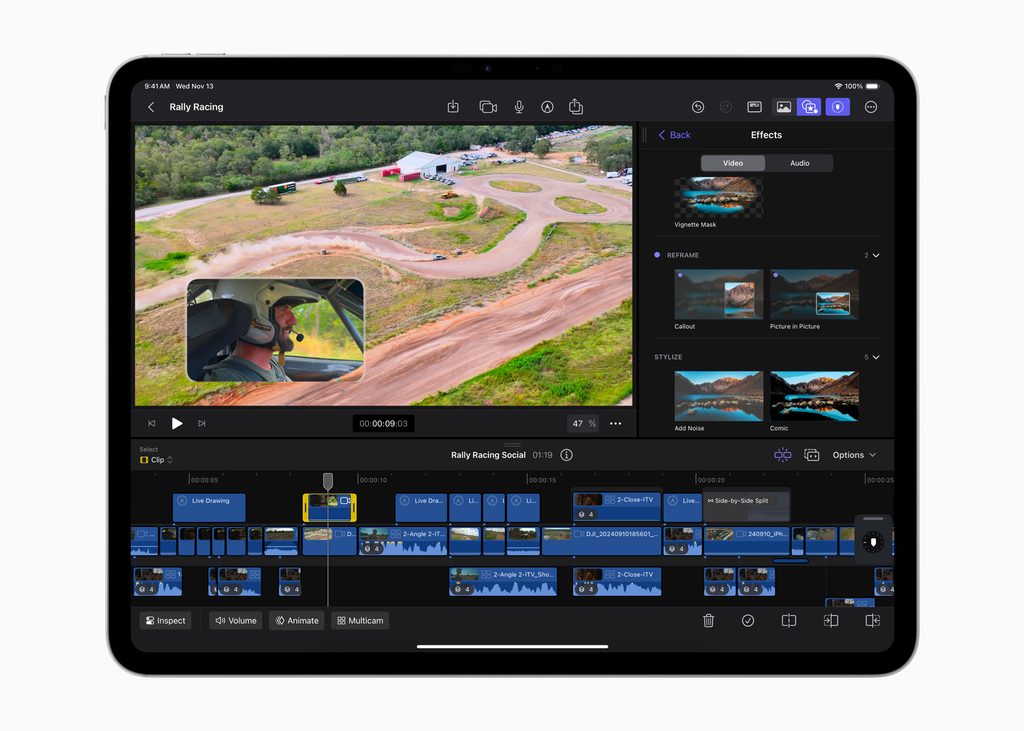
Instead of relying on a traditional track-based editing system, Final Cut Pro uses the Magnetic Timeline.
Clips automatically move around each other when you insert, remove, or rearrange footage, helping keep connected video and audio synchronized. Apple describes the system as allowing editors to move and trim clips while keeping the project in sync.
At first, I can understand why some editors might not like it.
You have to change the way you think about the timeline.
But once you get used to it, the system can feel surprisingly efficient.
For YouTube videos, travel videos, product reviews, and other projects where you’re constantly moving clips around, avoiding unnecessary gaps and synchronization problems can save time.
It’s Easier to Learn Than It Looks
One thing I appreciate about Final Cut Pro is that it doesn’t try to show every professional tool at once.
The basic editing workflow is relatively straightforward:
Import footage → organize clips → edit → add effects and titles → adjust color and audio → export.
Apple’s interface is divided into a Library, Browser, Viewer, and Timeline, keeping the main editing workflow relatively easy to understand.
That makes Final Cut Pro a good option for beginners who want something more capable than a simple mobile editor but don’t want to immediately dive into the complexity of a program like Resolve.
AI Features Are Becoming More Useful
Final Cut Pro has also become much more intelligent.
Current versions include tools such as Generate Captions, Magnetic Mask, object tracking, automatic color enhancement, and natural-language search features.
The newer search tools are particularly interesting.
Final Cut Pro 12.0 introduced Transcript Search and Visual Search, allowing users on Apple Silicon Macs to search footage using spoken words or natural-language descriptions of objects and actions.
For creators with large libraries of footage, this could be much more useful than it sounds.
Imagine having dozens of hours of recordings and being able to search for a specific phrase instead of opening clips one by one.
Captions and Masks Are Much Easier Now
Another practical improvement is automatic captions.
Final Cut Pro can analyze spoken audio and generate captions, which can then be styled for different types of content. Apple currently lists this as an AI-powered feature requiring Apple silicon on Mac for certain workflows.
Magnetic Mask is another useful tool.
Instead of manually rotoscoping a person or object frame by frame, Final Cut Pro can identify and track subjects, making selective color correction or effects easier.
For a beginner, this is exactly the type of feature that can make professional-looking edits feel more approachable.
Color Grading Is More Capable Than You Might Expect
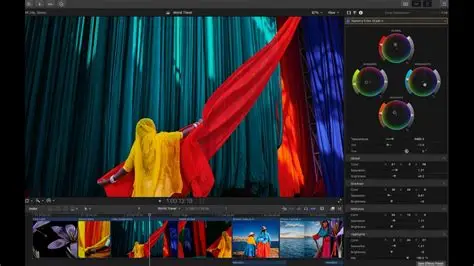
Final Cut Pro isn’t just a simple creator editor.
It includes professional tools such as color wheels, color curves, hue/saturation curves, LUT support, and HDR/SDR tone mapping.
You can keep things simple with basic adjustments, or go considerably deeper when your projects demand it.
For someone shooting with a mirrorless camera, this matters.
You may start with simple travel videos and eventually find yourself wanting more control over contrast, highlights, skin tones, and the overall mood of your footage.
Final Cut Pro gives you room to grow without immediately forcing you into a completely different workflow.
Audio Editing Is Built In Too
Another advantage is that Final Cut Pro doesn’t stop at the image.
It includes integrated audio editing features, multichannel audio organization, effects, and tools for reducing background noise. Apple also integrates technologies from Logic Pro into its audio workflow.
For YouTube creators, this can be important.
A video can look beautiful, but poor dialogue or distracting background noise can ruin the final result.
Having video and audio tools inside the same application keeps the workflow relatively simple.
The Price Question: One-Time Purchase vs Subscription
This is where Final Cut Pro gets especially interesting.
Apple currently lists the standalone Mac version at $299.99 as a one-time purchase.
Apple also offers Apple Creator Studio, which bundles Final Cut Pro with Motion, Compressor, Logic Pro, Pixelmator Pro, MainStage, and enhanced versions of several Apple productivity apps.
The current new-subscriber price is $12.99/month or $129/year, with a 30-day free trial.
For someone who only needs Final Cut Pro, the one-time purchase may make more sense.
But if you also want Logic Pro, Pixelmator Pro, Motion, or Compressor, the subscription can become much more attractive.
There’s also an important detail: some premium content is exclusive to the Apple Creator Studio version, while the standalone Final Cut Pro remains available and continues to receive updates.
Final Cut Pro vs DaVinci Resolve vs Premiere Pro
This is probably the decision most serious creators will eventually face.
Final Cut Pro
Best for: Mac users who want an efficient, polished workflow.
DaVinci Resolve
Best for: users who want powerful editing and color grading, especially with a strong free version.
Premiere Pro
Best for: professional workflows and people already invested in the Adobe ecosystem.
Personally, I think Final Cut Pro occupies a very nice middle ground.
It is more professional than beginner-focused editors such as CapCut, but its workflow can feel less intimidating than Resolve.
You can also read my DaVinci Resolve Review and Adobe Premiere Pro Review for a closer comparison.

Who Should Use Final Cut Pro?
I would recommend Final Cut Pro to:
Mac users who want a serious video editor.
YouTubers and content creators who edit regularly.
Beginners who want professional tools without a painfully complicated interface.
Camera users who want a long-term editing workflow for higher-quality footage.
I wouldn’t recommend it to Windows users simply because it isn’t available there.
And if you only create very simple short-form videos, CapCut may still be the easier choice.
Final Thoughts
What I like about Final Cut Pro is that it doesn’t seem interested in making video editing look complicated just to prove that it’s professional.
Its Magnetic Timeline, strong media organization, color tools, integrated audio editing, and growing collection of AI features all work toward one goal:
getting from raw footage to finished video with as little friction as possible.
The Mac-only limitation is significant, and the $299.99 purchase price is not trivial.
But unlike subscription-only software, a one-time purchase gives Mac users an option to own the application outright.
For me, the best reason to choose Final Cut Pro isn’t that it has more features than everyone else.
It’s that it has a very specific philosophy about how editing should work.
If you’re already using a Mac and want to move beyond simple editors, Final Cut Pro remains one of the most compelling choices in 2026.
More Video Editing Guides
Start with my Best Video Editing Software in 2026 guide, where I compare Final Cut Pro with DaVinci Resolve, Adobe Premiere Pro, CapCut, and other editors.
You can also read my:
DaVinci Resolve Review: Is It Still the Best Free Video Editor in 2026?
Adobe Premiere Pro Review: Is the Industry Standard Still Worth It in 2026?
1 thought on “Final Cut Pro Review: Is Apple’s Video Editor Still Worth It in 2026?”