When people talk about professional video editing software, Adobe Premiere Pro is usually one of the first names that comes up.
Unlike simpler editors that focus on getting a video finished as quickly as possible, Premiere Pro is built around a much more professional workflow. It gives editors precise control over timelines, audio, effects, multicamera projects, captions, and more. Adobe has also been adding AI-powered features that are designed to reduce some of the repetitive parts of editing.
But there is one question that is harder to ignore:
Is Premiere Pro still worth paying for in 2026 when powerful alternatives such as DaVinci Resolve are available for free?
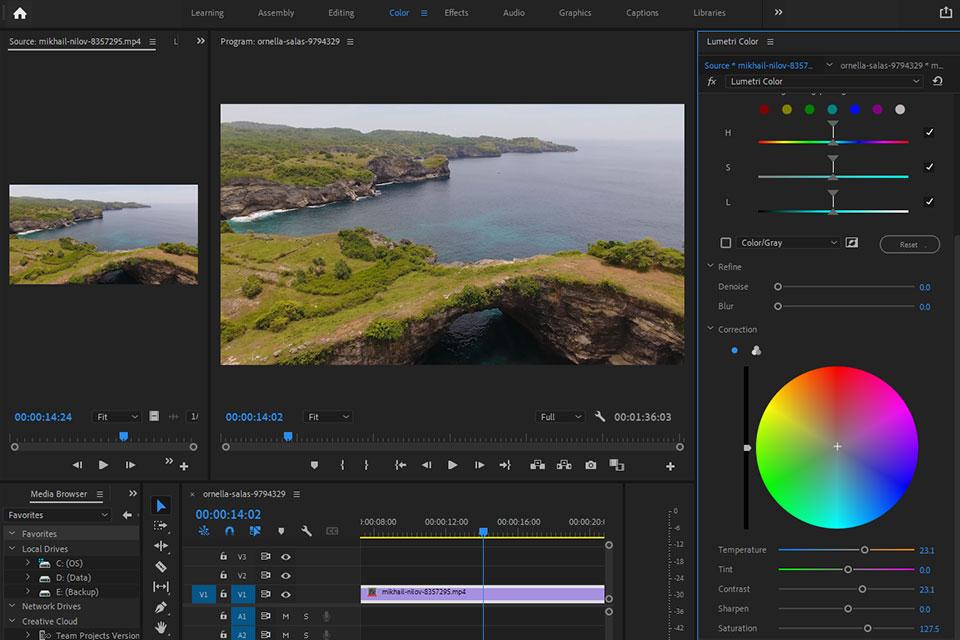
Adobe Premiere Pro
🎬 Professional Video Editing
🤖 AI-Powered Editing Tools
🎞️ Multicam & Advanced Timeline Editing
🎨 Color & Effects
🔗 Adobe Creative Cloud Integration
Premiere Pro Is Built for Serious Editing
The first thing that becomes obvious with Premiere Pro is that it isn’t trying to hide its professional nature.
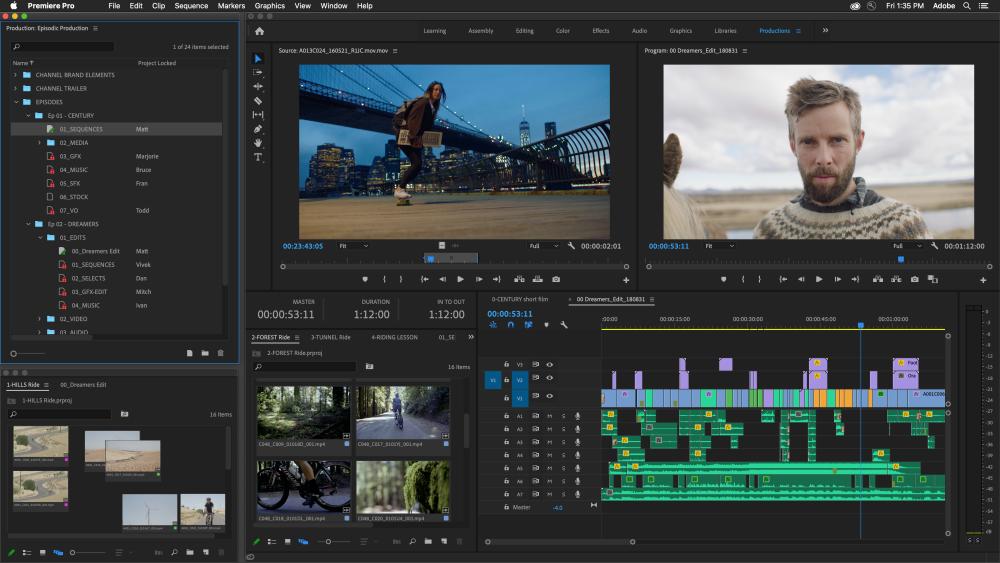
The timeline is the center of the workflow. You can work with multiple video and audio tracks, precisely trim clips, rearrange sequences, and use keyboard shortcuts to make repetitive editing much faster. Adobe’s current documentation still emphasizes frame-accurate trimming and professional timeline workflows.
For a short TikTok video, this level of control can feel unnecessary.
For a ten-minute YouTube video with dozens of clips, voice-over, music, B-roll, graphics, and several revisions, it starts to make much more sense.
That’s the important distinction.
Premiere Pro isn’t necessarily designed to make simple editing easier.
It’s designed to make complex editing manageable.
The Adobe Ecosystem Is a Major Advantage
Another reason people choose Premiere Pro is that it doesn’t really exist on its own.
If you already use Photoshop, After Effects, Audition, or other Adobe applications, Premiere fits naturally into that workflow.
For creators, this can save a lot of time. You might create a thumbnail in Photoshop, build motion graphics in After Effects, and edit the final sequence in Premiere without having to abandon the Adobe ecosystem.
This is one of the strongest reasons I would consider Premiere Pro over a simpler editor.
The software itself is powerful, but the surrounding ecosystem can be just as valuable.
AI Is Becoming a Much Bigger Part of Premiere
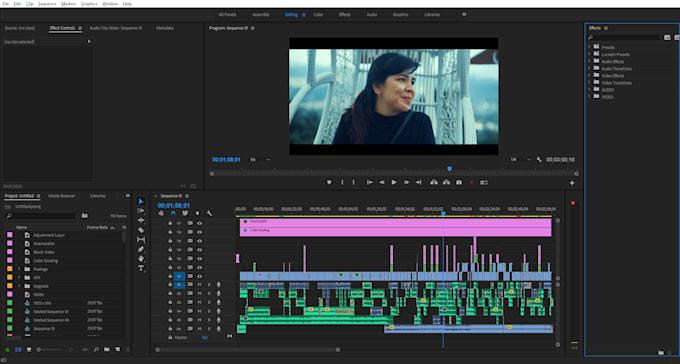
Premiere Pro in 2026 is noticeably more AI-focused than the software many people remember from a few years ago.
One particularly interesting feature is Media Intelligence, which lets you search through footage using descriptions rather than manually digging through every clip. Adobe says the Search panel can find footage using everyday-language descriptions.
There is also Text-Based Editing, which can automatically transcribe footage and let you create rough cuts by working with the transcript.
For interviews, podcasts, product reviews, and talking-head videos, this can be genuinely useful.
Instead of watching an hour of footage just to find one sentence, you can search the transcript and jump directly to the relevant section.
Generative Extend Is One of the More Interesting New Features
Adobe has also introduced Generative Extend, powered by Adobe Firefly.
The idea is surprisingly simple.
Sometimes you have a shot that ends just a little too early. Maybe you need another second before a transition, or you want to hold on a reaction shot slightly longer.
Instead of slowing down the footage or duplicating frames, Premiere can generate additional frames. Adobe currently allows up to two seconds of generated video and up to ten seconds of generated audio, with the generated sections clearly labeled.
For everyday editing, I don’t think this replaces traditional editing.
But when you are trying to fix a tiny problem without going back to the original footage, it can save a surprising amount of time.
Object Mask Makes Difficult Selections Easier
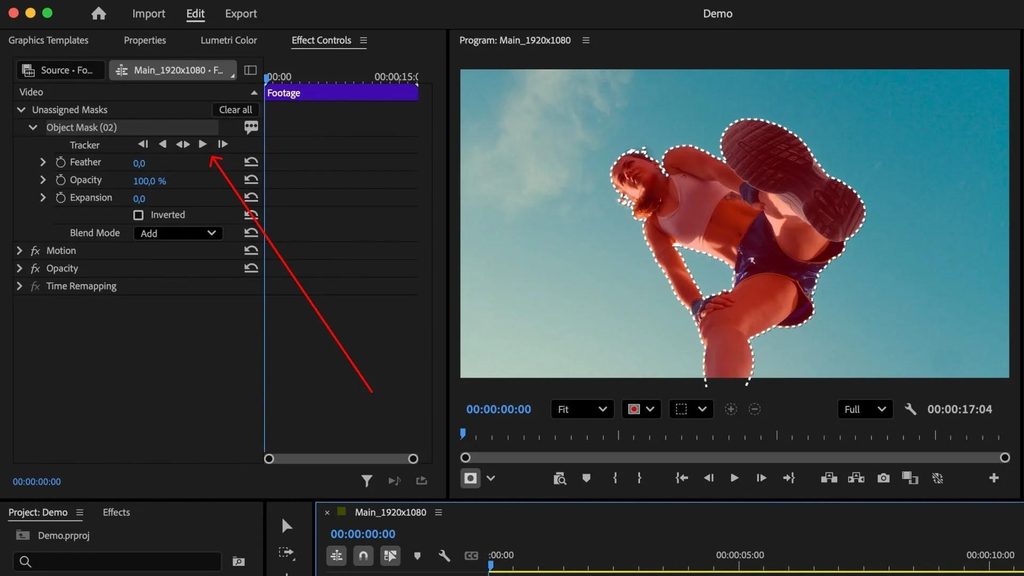
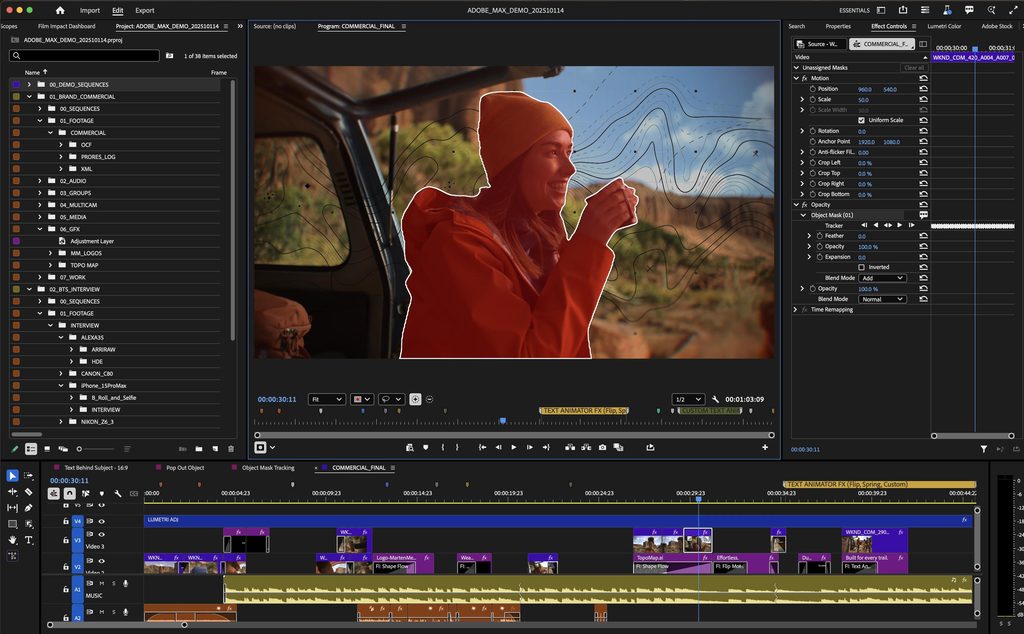
Another newer AI feature is Object Mask.
Instead of manually drawing and animating a complicated mask, Adobe’s AI can identify an object and track it across frames.
This is the kind of feature that may not matter when you’re cutting together a simple vlog.
But for product videos, effects, promotional content, and more complicated edits, reducing repetitive masking work can be a big improvement.
This is where Adobe’s investment in AI becomes practical rather than simply being a marketing headline.
What I Like About Premiere Pro
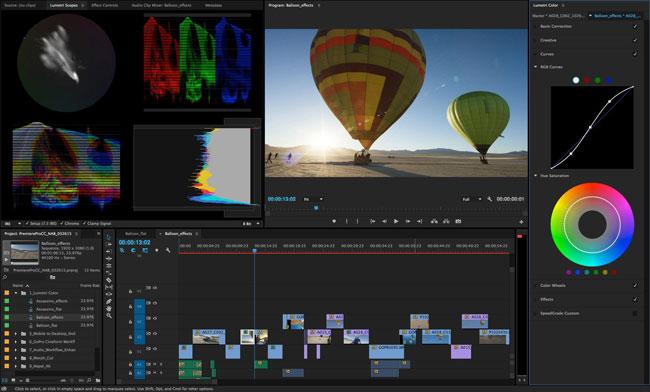
For me, Premiere Pro’s biggest strength is control.
Once you understand its workflow, there are very few situations where you feel like the software is forcing you to work in a particular way.
You can customize the timeline, use keyboard shortcuts, organize projects into bins, work with multiple sequences, and build a workflow around how you personally edit.
Adobe’s current interface and documentation also continue to emphasize keyboard-driven editing and customizable workflows.
That flexibility is incredibly useful when editing large projects.
But the Subscription Is Still the Problem
This is the biggest reason I wouldn’t automatically recommend Premiere Pro to everyone.
Adobe Premiere is subscription software.
Adobe’s current U.S. pricing page lists the single-app Premiere plan at $22.99/month when billed annually, paid monthly. Creative Cloud Pro, which includes Premiere alongside more than 20 other applications, is listed at $69.99/month standard, with promotional pricing available for eligible new subscribers.
That can make Premiere much more expensive over time than software such as DaVinci Resolve.
And this changes the buying decision.
If you’re editing videos occasionally, paying every month may not make much sense.
But if you’re producing videos regularly and already use other Adobe applications, the subscription becomes easier to justify.
Premiere Pro vs DaVinci Resolve
This is probably the comparison many beginners will make.
DaVinci Resolve is incredibly attractive if you want to start for free. Its color grading tools and all-in-one workflow also make it particularly appealing to filmmakers and creators who want to learn more than basic editing.
Premiere Pro, on the other hand, has a mature professional workflow and a particularly strong advantage if you already live inside the Adobe ecosystem.
Who Should Use Premiere Pro?
I wouldn’t say one completely replaces the other.
For a creator starting from scratch, I’d definitely try DaVinci Resolve first.
For someone working professionally, collaborating with Adobe-based teams, or already using Photoshop and After Effects, Premiere Pro becomes a much more convincing choice.
I think Premiere Pro makes the most sense for:
Professional editors who need deep control over complex projects.
YouTubers and creators producing videos regularly.
Adobe users who already work with Photoshop, After Effects, or other Creative Cloud applications.
Editors working with larger projects where organization and workflow efficiency matter more than simplicity.
For someone who only wants to make a quick short video, it may be overkill.
Final Thoughts
Adobe Premiere Pro remains popular for a good reason.
It isn’t the easiest video editor to learn, and it certainly isn’t the cheapest. But once you move beyond simple edits, its flexibility becomes its biggest advantage.
The addition of AI tools such as Media Intelligence, Text-Based Editing, Object Mask, and Generative Extend also shows that Adobe is trying to make professional editing faster rather than simply adding flashy features.
For me, the decision comes down to one question:
Do you need a professional editing workflow badly enough to justify the subscription?
If the answer is yes, Premiere Pro is still one of the strongest choices in 2026.
But for beginners who are just learning video editing, I would start with DaVinci Resolve, especially because its free version gives you an excellent place to learn before committing to a subscription.
More Video Editing Guides
Want to compare more editors?
Start with my guide to Best Video Editing Software in 2026, where I compare Premiere Pro with DaVinci Resolve, CapCut, Final Cut Pro, and Filmora.
You can also read my DaVinci Resolve Review, especially if you’re looking for a powerful alternative without a monthly subscription.
《Adobe Premiere Pro Review: Is the Industry Standard Still Worth It in 2026?》有1条评论