When I think about video editing software in 2026, DaVinci Resolve is one of the first programs that comes to mind.
What makes it unusual is that it isn’t simply a “free video editor.” Blackmagic Design has built Resolve as an all-in-one application covering video editing, color correction, visual effects, motion graphics, and audio post-production. And unlike many professional editing programs, the basic version is genuinely free.
That immediately raises an interesting question:
Why would anyone pay for Premiere Pro when so much of Resolve is available for free?
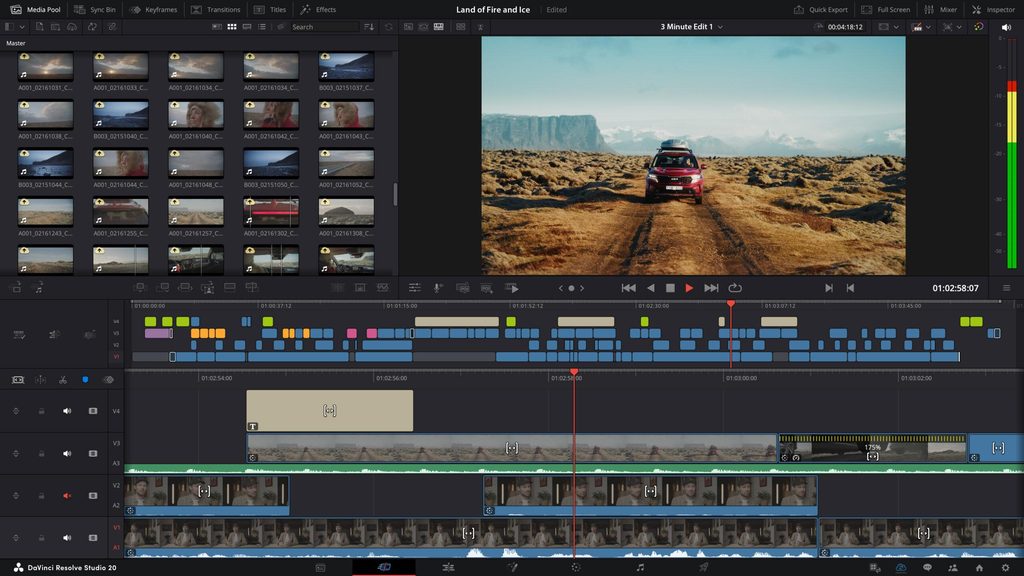
DaVinci Resolve
🎬 Professional Video Editing
🎨 Advanced Color Grading
🎵 Fairlight Audio Tools
✨ Fusion Visual Effects
🆓 Powerful Free Version
The Free Version Is Surprisingly Powerful
The biggest reason to try DaVinci Resolve is simple: you can start without paying anything.
The free version supports editing and finishing up to Ultra HD 3840 × 2160 at 60fps, along with extensive color grading tools, HDR grading, audio tools, and collaboration features.
For someone making YouTube videos, gaming videos, travel content, or product reviews, that is already enough to do a huge amount of work.
And that’s what makes Resolve different from many “free” applications.
You aren’t simply getting a stripped-down demo.
You are getting a serious editing platform that you can continue learning as your skills improve.
The Learning Curve Is the Real Catch
There is one thing I would tell every beginner before downloading it:
Don’t expect CapCut-level simplicity.
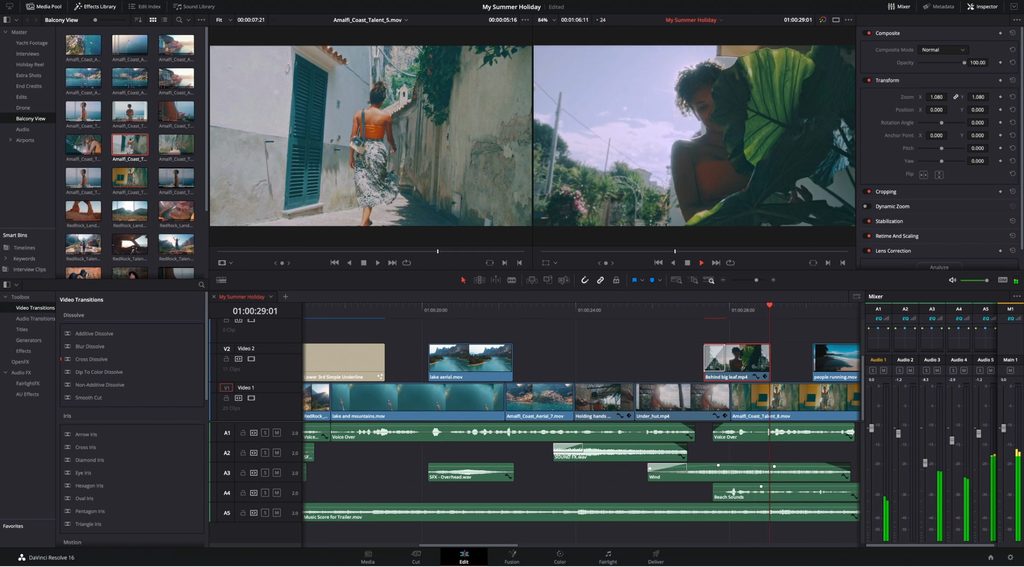
When you first open DaVinci Resolve, the interface can feel overwhelming. There are separate pages for editing, color, Fusion, Fairlight, and more.
For a beginner who only wants to cut clips and add subtitles, this can feel like using a professional camera when all you wanted was a point-and-shoot.
But there is another way to look at it.
You don’t need to learn everything.
Start with the Edit page, learn how to import footage, cut clips, add music, create simple transitions, and export the finished video. Once you’re comfortable, you can gradually explore color grading, Fusion, and Fairlight.
Blackmagic specifically describes the Edit page as being designed to be easy enough for new users while still providing professional editing controls.
Color Grading Is Where Resolve Really Shines
For me, one of the biggest reasons to learn Resolve is color.
DaVinci Resolve originated around professional color correction, and that experience is still obvious in the software.
You can make relatively simple adjustments or go much deeper with tools such as curves, HSL controls, HDR tools, color warper, and advanced grading workflows.
This becomes particularly interesting if you shoot with a mirrorless camera.
For example, footage from a camera such as the Nikon Z fc can be brought into Resolve and adjusted much further than simply applying a filter.
[Insert Nikon Z fc Review internal link here]
You can gradually learn how exposure, white balance, contrast, and color affect the final image.
That’s one of the places where Resolve can turn video editing into something more creative.
One Program for Editing, Effects and Audio
Another advantage is that Resolve doesn’t force you to constantly move between different applications.
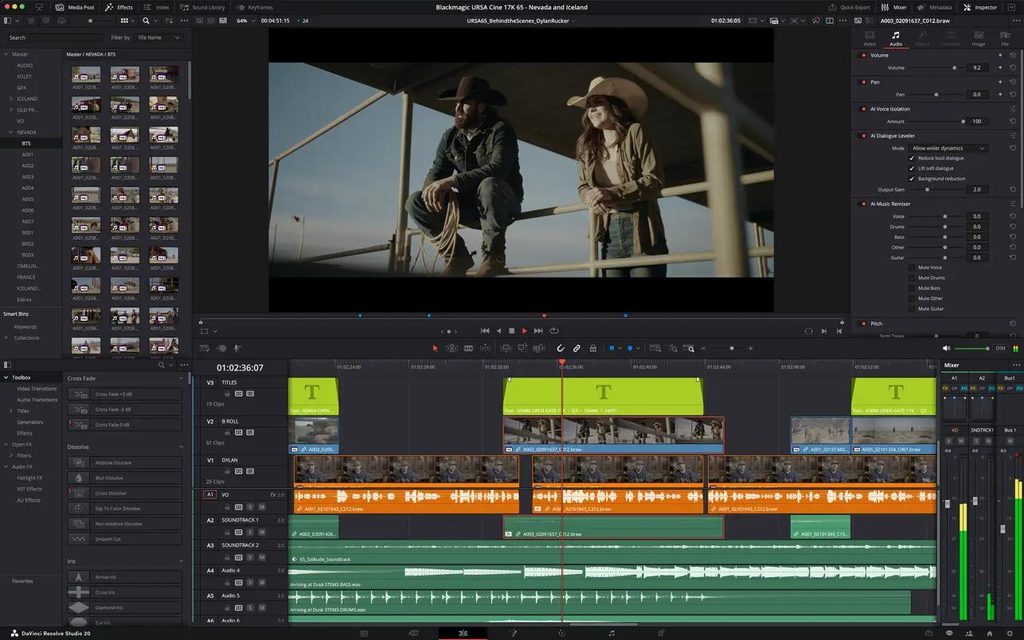
The software includes:
Edit for traditional video editing.
Fusion for visual effects and motion graphics.
Color for color correction and grading.
Fairlight for audio post-production.
This all-in-one approach is one of the reasons Blackmagic describes Resolve as a complete solution for editing, VFX, motion graphics, color, and audio.
For someone making a product review video, for example, you can edit the footage, clean up the voice-over, add titles, adjust colors, and export the finished video without leaving the application.
What Do You Get With DaVinci Resolve Studio?
The free version is already powerful enough for most beginners, but DaVinci Resolve Studio is aimed at more demanding users.
Studio currently costs $295 and adds more than 100 advanced features, including the DaVinci Neural Engine, additional Resolve FX, advanced noise reduction, Magic Mask, text-based editing, and expanded professional format support. It also supports 10-bit video up to 120fps and resolutions beyond 4K.
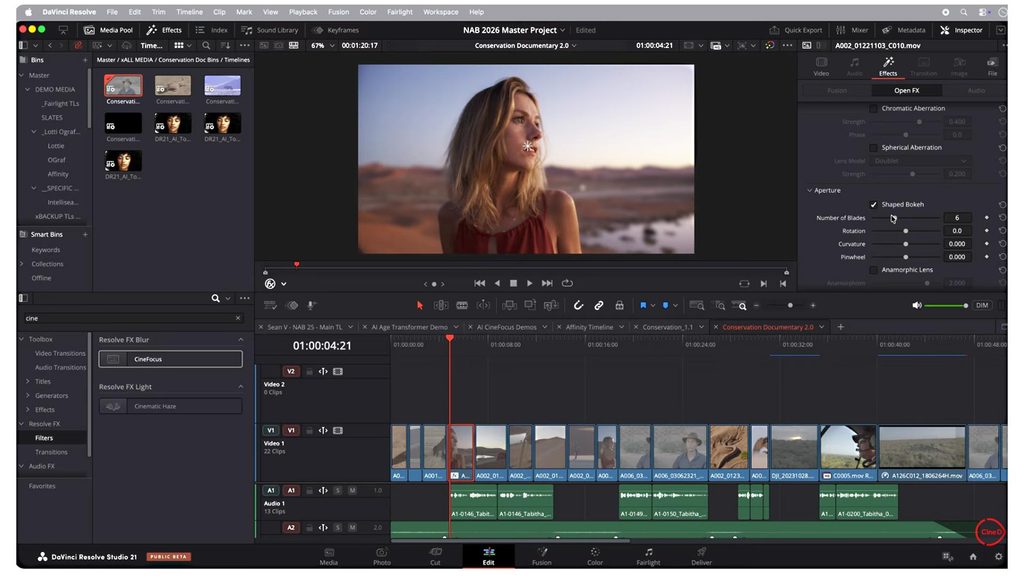
The newest DaVinci Resolve 21 also adds new AI tools and other workflow improvements, including IntelliSearch and CineFocus in Studio.
The important thing, though, is that you don’t need Studio to start learning Resolve.
That’s probably the best part of the whole product.
Is DaVinci Resolve Good for Beginners?
Yes—but with a small warning.
If your priority is:
“I just want to make a 30-second social media video as quickly as possible.”
CapCut will probably feel easier.
But if your thought is:
“I want to learn proper video editing and eventually make more complicated videos.”
DaVinci Resolve makes much more sense.
It gives you somewhere to grow instead of forcing you to switch software when your projects become more demanding.
Final Thoughts
The biggest reason I recommend trying DaVinci Resolve isn’t because it has the longest feature list.
It’s because the free version removes one of the biggest barriers to learning professional video editing: the price.
You can start with simple edits, learn color grading later, experiment with Fusion, improve your audio, and eventually decide whether you actually need Studio.
For someone creating YouTube videos, gaming content, travel videos, camera reviews, or product reviews, that’s an excellent progression.
In 2026, there are easier video editors.
There are also more specialized professional tools.
But if you’re looking for a powerful editor that you can start using for free and continue growing with, DaVinci Resolve remains one of the strongest choices available.
More Video Editing Guides
Not sure which editor is right for you?
Start with my guide to Best Video Editing Software in 2026, where I compare DaVinci Resolve with Premiere Pro, CapCut, Final Cut Pro, and Filmora.
You can also check out my Free Video Editing Software vs Paid Editors comparison to see whether paying for professional software actually makes sense for your workflow.
《DaVinci Resolve Review: Is It Still the Best Free Video Editor in 2026?》有1条评论