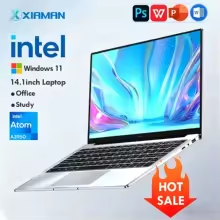
Xiaman Ultra Slim Windows 11 Laptop — 14.1-Inch 1920 x 1080 Display, 12GB RAM, 256GB–2TB SSD, Intel Atom A3950, Silver
💰 Storage options: 256GB 177.58⋅512GB198.50 · 1TB 228.24⋅2TB270.17
🔥 Save 337.65to337.65to480.29 (64%–65% off)
515.23⋅515.23⋅568.40 · 644.12⋅644.12⋅750.46
👉 Check the latest Xiaman 14.1-Inch Laptop deal here:
Introduction
A Windows 11 laptop for $177.58 is the kind of listing that makes you stop scrolling.
I have looked at a lot of budget hardware on this site, and I have learned to read the specification sheet before the price. So let me start with the number that decides everything about this machine: the Intel Atom A3950.
That chip is the reason this laptop costs $177.58. It is not a compromise hidden in the fine print. It is the entire story, and whether this laptop is right for you depends entirely on whether the Atom’s limits match your needs.
This review is not going to tell you it is a great laptop. It is going to tell you exactly what it is good for.
What $177.58 Actually Gets You
The hardware list is genuinely not bad on paper:
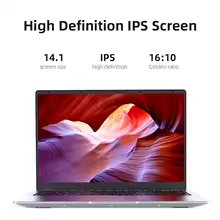
- 14.1-inch display at 1920 x 1080
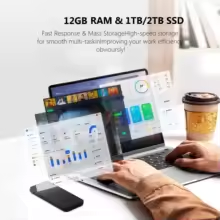
- 12GB RAM
- 256GB SSD (512GB, 1TB and 2TB options available)
- Intel Atom A3950 processor
- Windows 11
- Silver finish
A 1080p screen at this price is the standout. Many laptops in this bracket ship with a lower-resolution panel, and 1920 x 1080 on a 14.1-inch screen means text and video look clean rather than soft.
12GB of RAM is also more than I expected. On a laptop, unlike the tablets I reviewed recently, RAM is generally not advertised with a virtual-memory trick, so I would read this as genuine memory.
The Intel Atom A3950 Is the Whole Story
This is the section that matters, so I want to be direct.
The Atom A3950 is a four-core, four-thread processor from Intel’s low-power line, launched around 2019. It is designed for efficiency, not performance. In practice, that puts it in a completely different class from the chips in mainstream laptops.
What it handles well:
- Web browsing with several tabs
- Word processing, spreadsheets, email
- Watching 1080p video
- Video calls
- Light photo viewing
What it struggles with:
- Photo editing, especially Photoshop with large files
- Video editing of any kind
- Running several demanding apps at once
- Modern 3D games
- Anything that needs sustained heavy processing
The listing shows Photoshop, Word and PowerPoint icons, which is a bit misleading. Microsoft Office will run. Photoshop will launch. Neither fact tells you how it will feel once a real file is open, and on this processor, a real Photoshop file will feel slow.
If your work is documents and browsers, the Atom is fine. If your work is creative software, this is the wrong machine.
The 14.1-Inch 1080p Screen and Build
The screen is the strongest part of the package.
1920 x 1080 on a 14.1-inch panel is the resolution I would choose for this size, and it means the laptop is pleasant for reading, spreadsheets, and video. For a student who spends hours in documents and browser tabs, that matters more than processor power.
The listing describes it as ultra-slim, and the silver body is a conventional laptop design. At this price, expect plastic, and expect a keyboard and trackpad that are adequate rather than excellent.
One point worth checking before buying is battery life. Thin, cheap laptops often pair a large screen with a small battery, and the listing does not state a capacity. For a student carrying it to class, that number matters.
If you need more screen space later, a portable monitor is a cheaper upgrade than a second laptop. I reviewed the ZSUS 10.5-inch portable monitor, which fits in a bag and works as a second display for a laptop like this one.
Storage Options: 256GB to 2TB
The listing offers four storage configurations, and the pricing is more interesting than it looks at first.
| Storage | Price | Upgrade cost | Extra capacity | Cost per extra GB |
|---|---|---|---|---|
| 256GB | $177.58 | — | — | — |
| 512GB | $198.50 | +$20.92 | +256GB | $0.082 |
| 1TB | $228.24 | +$29.74 from 512GB | +512GB | $0.058 |
| 2TB | $270.17 | +$41.93 from 1TB | +1TB | $0.041 |
That last column is the one I would look at. The larger the drive, the cheaper each extra gigabyte becomes. Moving from 1TB to 2TB costs $41.93 and doubles your storage, which is the best per-gigabyte deal in the entire listing.
Going from the base model all the way to 2TB costs $92.59 more and gives you 1.75TB of additional space.
For a laptop used for documents, browsing, and streaming, 256GB is workable but tight — Windows 11 and preinstalled software consume a share of it. I would not buy the 256GB version for anything beyond light use.
My recommendation: if you are buying this laptop as a student machine or a secondary computer, the 512GB version at 198.50∗∗isthesensiblemiddle.Ifyouplantostoreofflinevideo,photos,oragamelibrary,the∗∗2TBversionat198.50∗∗isthesensiblemiddle.Ifyouplantostoreofflinevideo,photos,oragamelibrary,the∗∗2TBversionat270.17 is the better long-term buy, because $92.59 over the base price is a small premium for a machine you will not need to upgrade.
The Windows 11 Question
The listing advertises Windows 11, and I want to add one honest note.
The Atom A3950 is not on Microsoft’s official list of supported processors for Windows 11. Devices like this typically run Windows 11 by bypassing the hardware checks during installation, which works in practice but can affect major feature updates.
What this means for you is not that the laptop will not work. It means you should not expect years of guaranteed Windows upgrades. For a light-use machine bought at $177.58, that is an acceptable trade-off for most buyers — but it is a trade-off you should know about.
Who Should Buy This Laptop?
This laptop suits:
✅ Students who need a machine for documents, research, and video calls ✅ Anyone who wants a second, lightweight computer for browsing and email ✅ Buyers on an extremely tight budget who need Windows rather than a tablet ✅ Light office work where the software is Word, Excel, and a browser ✅ People who understand the Atom’s performance ceiling
It may not be the best choice for:
❌ Photo or video editing ❌ Gaming beyond simple browser games ❌ Running several heavy applications at once ❌ Anyone who needs guaranteed long-term Windows support ❌ Users who expect a 177laptoptoperformlikea500 one
Final Thoughts
After looking closely at the Xiaman 14.1-inch laptop, I think it is an honest machine sold at an honest price, with one very clear limitation.
The limitation is the Intel Atom A3950. It is the reason the laptop is $177.58, and it defines what the laptop is good at: documents, browsers, video, and calls. The 1080p screen and 12GB of RAM make that light work genuinely comfortable, and the storage options go up to 2TB if you need more room.
At 177.58,downfromalisted515.23, the value is real — that is a 65% discount. But I would not treat 515.23asafaircomparisonpoint,becausethisisnota500 laptop. It is a $177 laptop, and judged as one, it delivers.
If I had to point out the trade-offs, I would say that the processor limits what the machine can do and that Windows 11 may not receive long-term updates. Neither of those changed my opinion, because both are the correct compromises at this price.
If you need a cheap Windows laptop for schoolwork and browsing and nothing more, this is a reasonable buy. If you need it to do anything heavier, spend more.
👉 Buy Xiaman 14.1-Inch Laptop Here
Disclosure: This article contains affiliate links. If you purchase through them, we may earn a commission at no extra cost to you.
《Xiaman 14.1-Inch Laptop Review: A $177 Windows 11 Laptop With an Intel Atom — Who Is It For?》有1条评论