Running out of storage on your laptop or desktop can quickly become frustrating. Games take up more space, large files accumulate, and even a computer with a reasonably powerful processor can feel less convenient when its storage is nearly full.
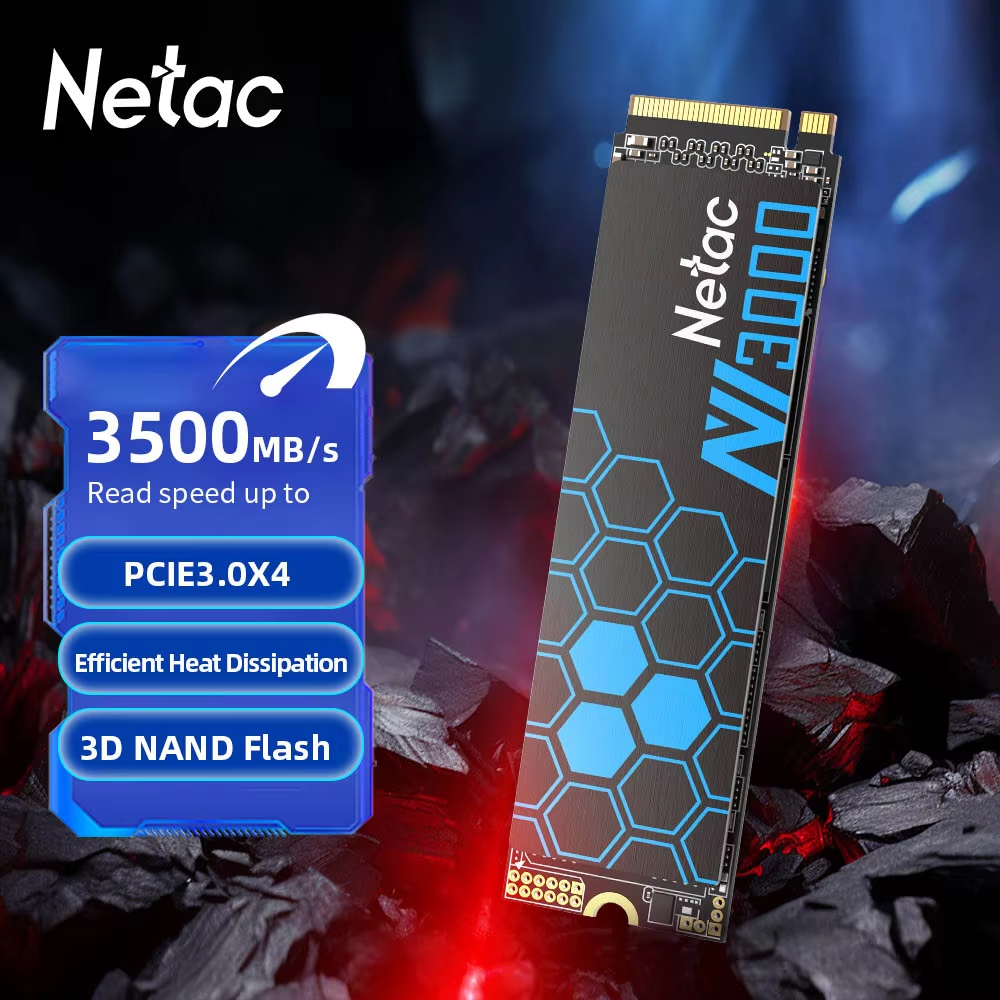
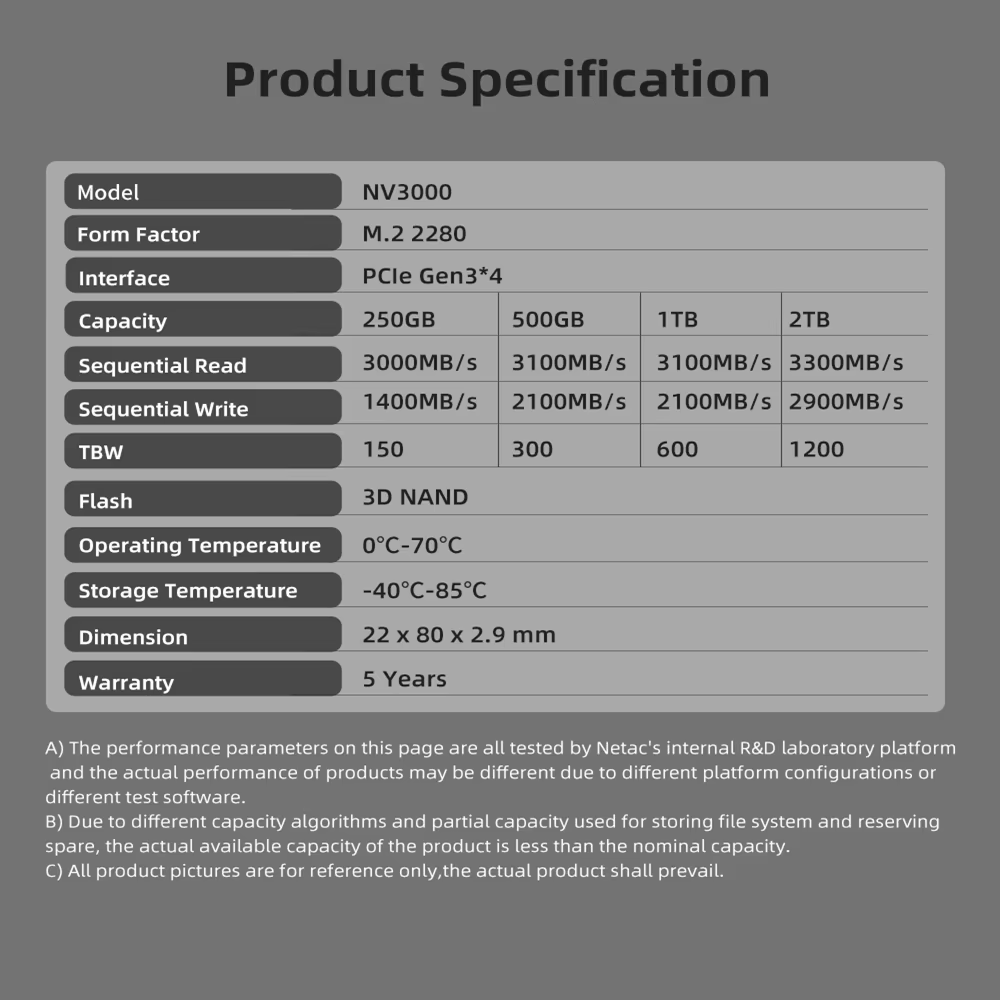
The Netac NVMe M.2 2280 SSD is designed for users who want to add internal storage or upgrade a compatible computer. It uses a PCIe 3.0 x4 interface and comes in four advertised capacities: 250GB, 500GB, 1TB, and 2TB.
At first glance, the straightforward specifications make it worth considering for a PC upgrade. However, the exact model, rated read and write speeds, and value for money are important details to check before placing an order.
[Check the latest price on AliExpress]
1. What Is the Netac M.2 NVMe SSD?
Netac is a storage brand offering products such as internal SSDs, portable storage, and memory products. This particular listing describes an internal NVMe SSD designed for compatible laptops and desktop PCs.
Its main specifications are:
- Interface: PCIe 3.0 x4
- Form factor: M.2 2280
- Storage options: 250GB, 500GB, 1TB, and 2TB
- Intended use: Internal storage upgrades for compatible laptops and desktop computers
The M.2 2280 format is commonly used in modern computers. The numbers refer to the drive’s physical dimensions: approximately 22mm wide and 80mm long.
The PCIe 3.0 x4 interface provides the connection between the SSD and the computer. Compared with an older mechanical hard drive, an NVMe SSD can offer significantly faster access to files and applications when the system supports it.
That said, the interface alone does not tell us the exact speed of this particular drive. The product title does not identify a specific Netac model number or provide official sequential read and write ratings, so those details should be confirmed with the seller.
2. What Can You Use It For?
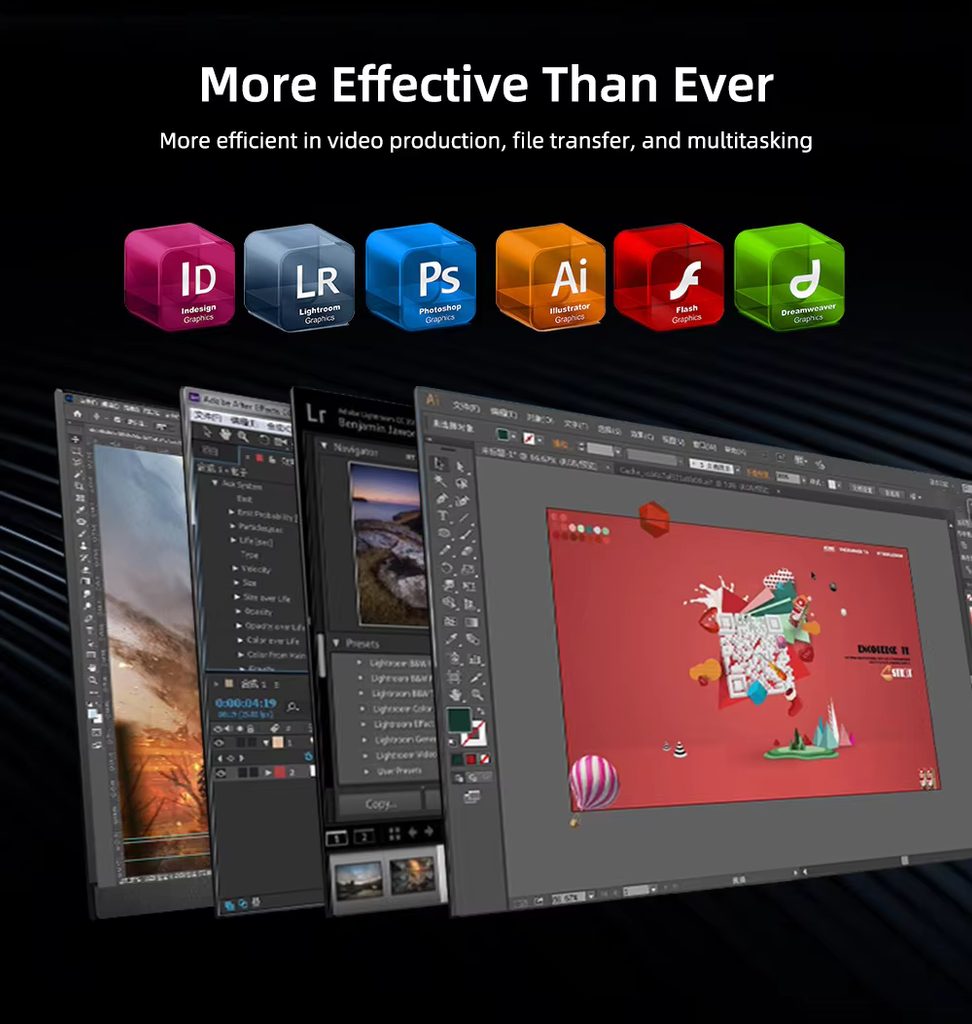
An internal SSD can improve the everyday experience of using a computer, especially when replacing an older mechanical hard drive or adding storage to a system that is running out of space.
Faster Everyday Computing
Installing Windows and frequently used programs on an SSD can make startup, application loading, and file access feel much more responsive than using a traditional hard drive.
If your computer already has an SSD, the improvement will depend on what you currently use. Replacing an existing SSD with another PCIe 3.0 model will not necessarily produce a noticeable difference in every task.
More Room for Games
Modern games can occupy a substantial amount of storage. A 1TB or 2TB drive provides more room for a game library without constantly uninstalling older titles.
For a gaming PC, the right SSD capacity often matters as much as the advertised speed. A drive with plenty of available space makes it easier to keep your frequently played games installed.
Files, Photos, and Video Projects
The larger capacities may also suit users who work with photos, videos, downloads, and other large files.
An SSD can make browsing and transferring files more convenient, but sustained transfer performance depends on the exact drive model, its cache, the amount of free space, and the workload.
3. Which Capacity Should You Choose?
The listing offers four capacity options, and the best one depends on how you use your computer.
250GB: For Basic Upgrades
The 250GB version is the smallest option. It may be sufficient for a basic operating system drive, a few essential applications, and light everyday use.
However, modern operating systems, applications, and games can consume storage quickly. If you plan to install several large games or keep a substantial media collection, I would look at a larger capacity.
Listed price: $48.64
500GB: A Moderate Amount of Storage
The 500GB option provides more breathing room for everyday applications, documents, and a modest selection of games.
It can be a reasonable capacity for a general-purpose computer, although users who regularly install large games or edit video may find themselves wanting more space sooner than expected.
Listed price: $90.64
1TB: A More Flexible Everyday Choice
For many laptop and desktop users, 1TB is a useful balance between capacity and flexibility.
It provides room for the operating system, applications, games, and personal files without requiring you to manage storage quite as aggressively as you might with a smaller drive.
If your goal is to upgrade a gaming PC or use the SSD as your main internal drive, 1TB is a practical capacity to consider.
Listed price: $165.84
2TB: For Large Game Libraries and Files
The 2TB version is aimed at users who need more substantial storage capacity.
It can be useful for large game libraries, video projects, extensive photo collections, or computers that handle a lot of local data.
The larger capacity is convenient, but it is also the most expensive option in this listing. Before choosing it, compare the total price with other SSDs that have clearly documented performance ratings and warranty terms.
Listed price: $330.79
4. Price Comparison: Is the Larger SSD Worth It?
Here are the prices and advertised discounts supplied for this AliExpress listing.
| Capacity | Listed price | Displayed saving | Reference price |
|---|---|---|---|
| 250GB | $48.64 | $30.13 | $78.77 |
| 500GB | $90.64 | $48.13 | $138.77 |
| 1TB | $165.84 | $80.36 | $246.20 |
| 2TB | $330.79 | $151.05 | $481.84 |
The advertised savings make the listing look discounted, but a crossed-out reference price does not automatically mean a drive is a good deal.
I would pay particular attention to the 1TB and 2TB options, because their final prices make comparison shopping especially important. Check other SSDs available in your region and compare their interfaces, rated speeds, endurance, warranty coverage, and seller reputation.
Also, do not assume that all four capacities have identical performance. Some SSD families have different rated speeds depending on capacity, so ask the seller for the precise model number and the specifications of the version you plan to buy.
Prices and promotions on AliExpress may change, and the final amount can vary by location, account, and shipping conditions.
5. Check Compatibility Before Buying
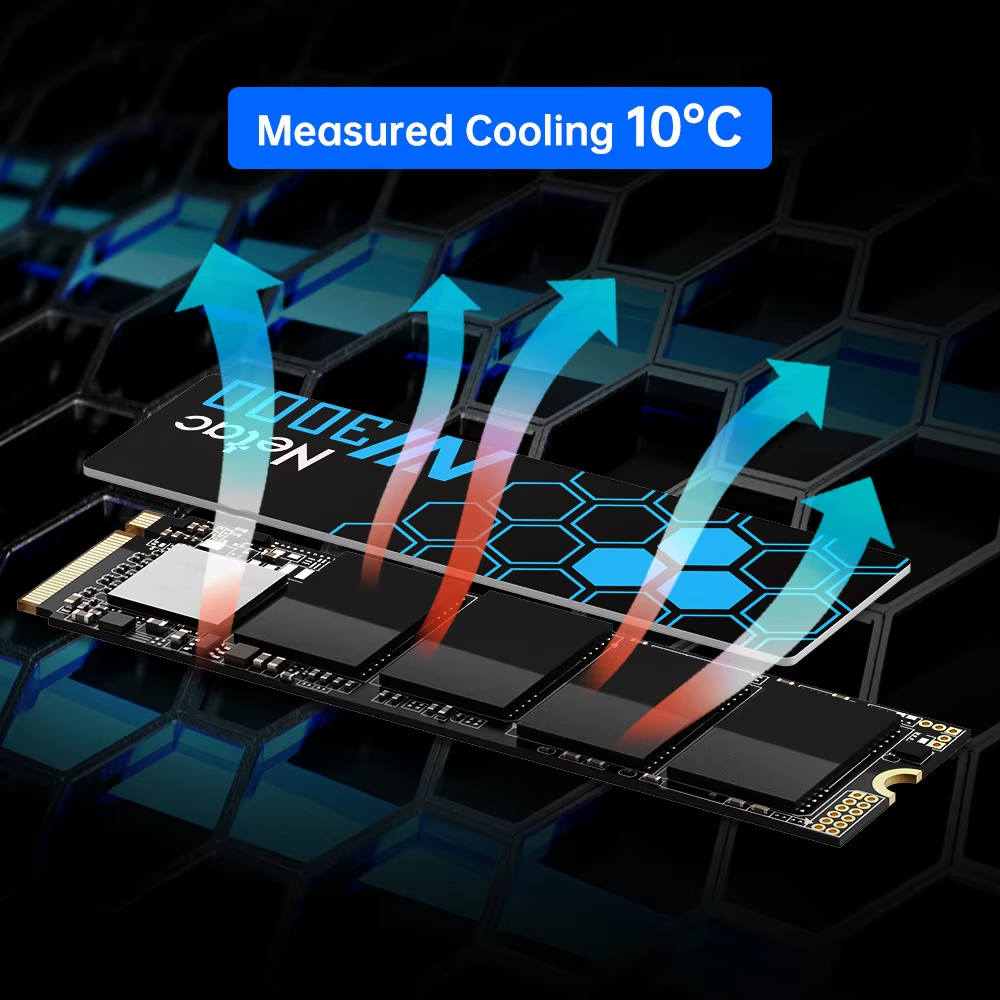
The M.2 2280 format is common, but not every computer with an M.2 slot supports every type of SSD.
Before ordering, check the following points.
Your computer must support NVMe. Some M.2 slots support SATA drives only, while others support PCIe/NVMe drives. The physical connector alone is not enough to establish compatibility.
Check the available space and slot layout. Laptop upgrade options can be particularly restrictive. Some laptops have a single M.2 slot, while others may use shorter drives or have limitations on supported capacities.
Understand the PCIe generation. This listing advertises PCIe 3.0 x4. A compatible newer PCIe system can generally run a Gen 3 SSD at the supported connection speed, but the drive will not automatically gain Gen 4 or Gen 5 performance.
Confirm the exact model and speed ratings. Netac offers multiple SSD series. Ask the seller for the model number, sequential read and write speeds, endurance rating, and warranty conditions rather than relying only on the generic product title.
If you are replacing your system drive, remember to plan for Windows installation or drive cloning, and back up important files before making changes.
6. What About Reliability and Warranty?
An SSD is often used to store an operating system, personal files, and valuable work, so reliability matters just as much as capacity.
Before purchasing this listing, look for clear information about the NAND flash type, rated endurance in terabytes written (TBW), warranty duration, and the seller’s handling of faulty products.
I would also read recent buyer reviews carefully. Look for feedback that mentions the actual capacity received, whether the drive is detected correctly, and whether users have tested its read and write speeds.
For important files, keep a separate backup regardless of which SSD you buy. An internal drive is useful for everyday storage, but no SSD should be treated as the only copy of irreplaceable data.
Final Verdict: Should You Buy the Netac NVMe SSD?
The Netac M.2 NVMe SSD listing offers four capacity choices and a familiar M.2 2280 PCIe 3.0 x4 interface for compatible laptops and desktop computers. Depending on the exact model, an SSD like this may be suitable for adding storage, installing applications, or expanding a gaming PC.
However, I would not make the decision based on the brand name or the advertised discount alone. The current listing does not clearly identify the precise SSD series or provide enough information to establish its performance and endurance.
At the listed prices, comparing alternatives is essential. Check the model number, rated speeds, warranty, and recent buyer feedback before ordering. If another drive offers better-documented specifications or stronger warranty support at a similar price, it may be the more sensible purchase.
[Check the latest price on AliExpress]
Disclosure: This article contains affiliate links. If you purchase through them, we may earn a commission at no extra cost to you.